

digikam

Install latest/stable of digikam
Ubuntu 16.04 or later?
Make sure snap support is enabled in your Desktop store.
Details for digikam
Package name
- digikam
License
- GPL-2.0+
Last updated
- 4 July 2026 - latest/stable
- 5 July 2026 - latest/edge
Report a Snap Store violation
Report digikam for a Snap Store violation
Snap Store Violation Report submitted successfully
Thank you for your report. Information you provided will help us investigate further.
Error submitting report
There was an error while sending your report. Please try again later.
Share this snap
Generate an embeddable card to be shared on external websites.
Photo Management Program
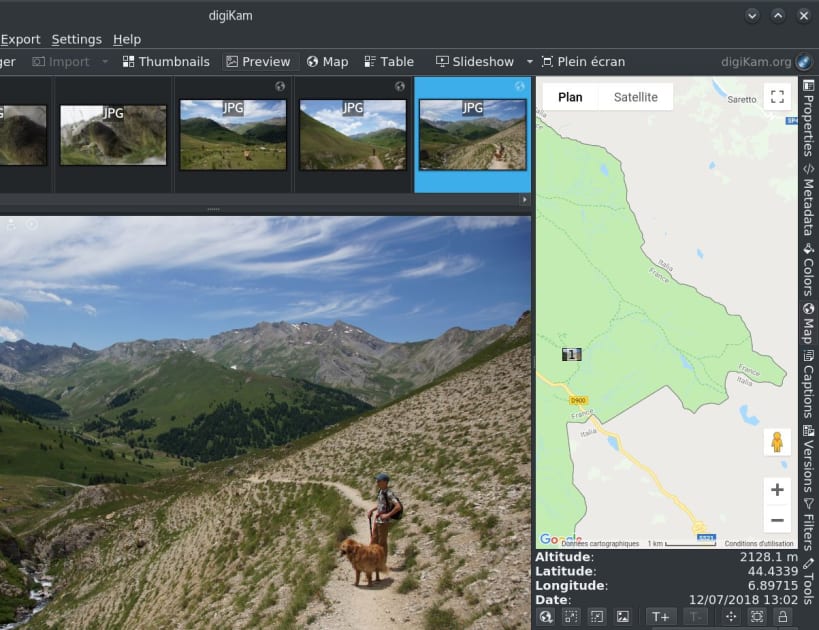
digiKam is an advanced open-source digital photo management application that runs on Linux, Windows, and MacOS. The application provides a comprehensive set of tools for importing, managing, editing, and sharing photos and raw files. You can use digiKam’s import capabilities to easily transfer photos, raw files, and videos directly from your camera and external storage devices (SD cards, USB disks, etc.). The application allows you to configure import settings and rules that process and organize imported items on-the-fly.
digiKam organizes photos, raw files, and videos into albums. But the application also features powerful tagging tools that allow you to assign tags, ratings, and labels to photos and raw files. You can then use filtering functionality to quickly find items that match specific criteria.
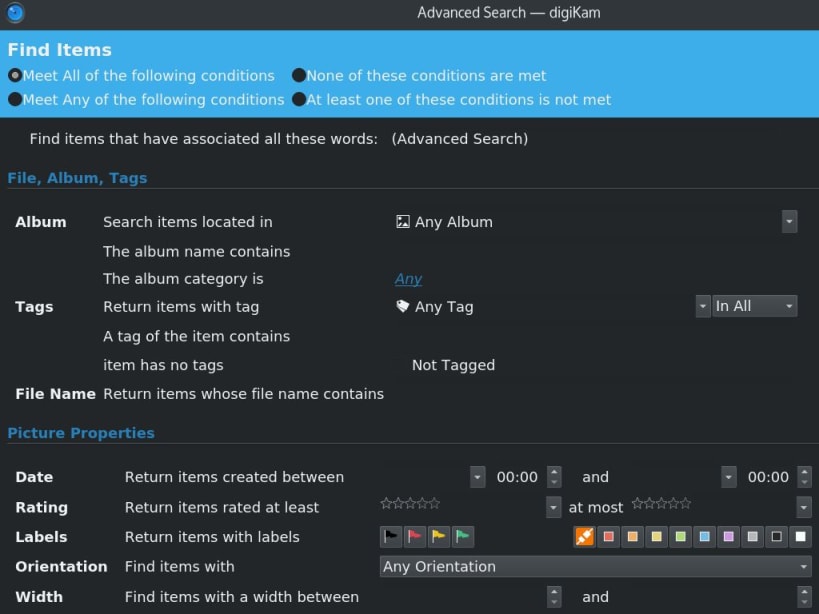
In addition to filtering functionality, digiKam features powerful searching capabilities that let you search the photo library by a wide range of criteria. You can search photos by tags, labels, rating, data, location, and even specific EXIF, IPTC, or XMP metadata. You can also combine several criteria for more advanced searches. digiKam rely on Exiv2 library to handle metadata tag contents from files to populate the photo library.
digiKam can handle raw files, and the application uses the excellent LibRaw library for decoding raw files. The library is actively maintained and regularly updated to include support for the latest camera models. digiKam can also manage video files for cataloging purpose, and the application uses the couple FFmpeg and QtAv libraries to extract metadata and play media.
The application provides a comprehensive set of editing tools. This includes basic tools for adjusting colors, cropping, and sharpening as well as advanced tools for, curves adjustment, panorama stitching, and much more. A special tool based on Lensfun library permit to apply lens corrections automatically on images.
Extended functionality in digiKam is implemented via a set of tools based of plugins mechanism (named DPlugins for digiKam Plugins). Plugins can be written to import and export contents to remote web-services, add new features to edit image, and batch process photo.
Features:
- Organization of photos in albums and sub-albums (with tags and comments support)
- Support for Exif, Iptc, Xmp, Makernotes
- SQLite or Mysql powered storage for the album contents and its metadata with advanced search tools
- Support for filtering and sorting albums
- Import from more than 1100 digital camera devices
- Support for more than 900 RAW format pictures
- Light Table to compare photo side by side
- Extended features using extra tools
- Share your photos using HTML or publishing them to remote web services
- Image editor included with advanced tools to fix photo quickly
| Revision | Channel | Version | Build | Commit |
|---|
The build and commit information is derived from build infrastructure records.
Install digikam on your Linux distribution
Choose your Linux distribution to get detailed installation instructions. If yours is not shown, get more details on the installing snapd documentation.















