A free/libre/open medical DICOM viewer
Weasis is an open-source DICOM viewer for standalone and web use, built for medical image visualization in PACS and DICOM workflows — from routine reading to AI-assisted review and quantitative imaging.
General Features
- Open source under EPL 2 or Apache 2 license
- Integrates with PACS, VNA, RIS, HIS, or EHR
- Desktop builds for Windows, macOS, Linux; web access via the
weasis:// protocol
- Responsive UI for high-DPI screens; 20+ language support
- Server- and client-side preference configuration with multi-level overrides
- API for custom plug-ins; embeddable viewer for CD/DVD or portable media
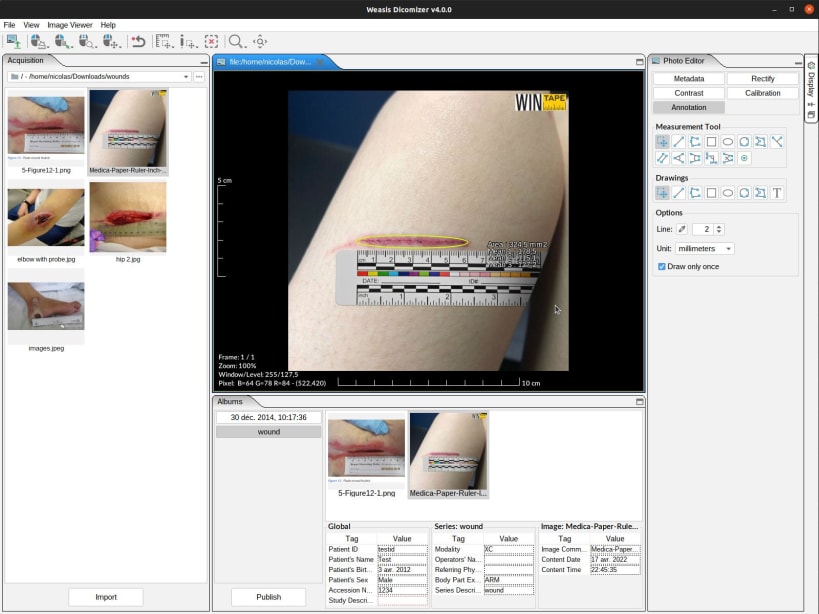
- Dicomizer module converts images, videos, PDFs, and STL meshes into DICOM
- AI-assisted and quantitative imaging workflows
- Docs: https://nroduit.github.io/en/
Connectivity & Interoperability
Fits existing clinical infrastructure two ways: server-side via a gateway such as ViewerHub (centralized brokering of PACS/DICOMweb, auth, and manifests), or client-side by configuring DICOM nodes and DICOMweb sources directly.
- Classic DIMSE — Query/Retrieve (C-FIND, C-GET, C-MOVE) and Store (C-STORE)
- DICOMweb — QIDO-RS, WADO-RS, STOW-RS over HTTPS
- WADO-URI — for legacy PACS and Weasis manifest flow
weasis:// protocol — single-click launch from browsers, EHR, RIS portals- Authentication — Basic, OAuth 2.0, and OpenID Connect (Auth Code with PKCE, RFC 8252); works with Keycloak, Google Cloud Healthcare, any OIDC provider
- Send/Export — store to PACS or DICOMweb, or export locally as DICOMDIR ZIP, ISO with embedded viewer, JPEG, PNG, TIFF, AVI/MP4
- Integration hooks — argument-driven launch, manifest-based study loading
Viewer Features
- Data type support — all common DICOM files including multi-frame, Enhanced (CT/MR/US Volume), MPEG-2/4, SR, PR, KOS, SEG, RT, ECG, Parametric Map; codecs include JPEG (baseline/extended/lossless), JPEG-LS, JPEG 2000, JPEG-XL, RLE; import/export CD/DVD with DICOMDIR and ZIP; views common formats (TIFF, BMP, GIF, JPEG, PNG, etc.)
- Exporting — local export (DICOMDIR, ZIP, ISO, TIFF, JPEG, PNG); send to PACS/DICOMweb; save measurements as Presentation States or XML
- Viewing & rendering — multi-monitor with per-monitor calibration, HiDPI, full-screen; mouse and customizable keyboard controls; Modality/VOI/Presentation LUTs; GSPS overlays; overlays, shutters, pixel padding; lossy compression indicator; geometry-issue warnings; FrameOfReferenceUID-aware view synchronization
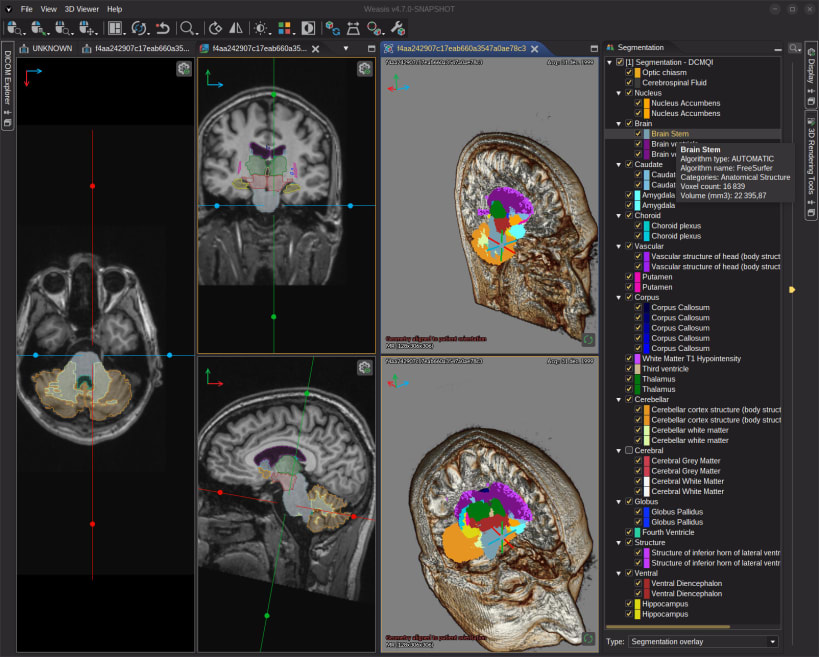
- Advanced imaging — Oblique MPR with gantry-tilt correction, MIP, 3D Volume Rendering with segmentation overlay, 4D/multi-phase series splitting, cross-lines, 3D cursor, magnifier, side-by-side comparison layouts
- Measurement & annotation — length, area, angle (incl. Cobb), perpendicular, parallel, free-shape; pixel region statistics; histograms; SUV measurement (PET/nuclear); pixel-info inspector
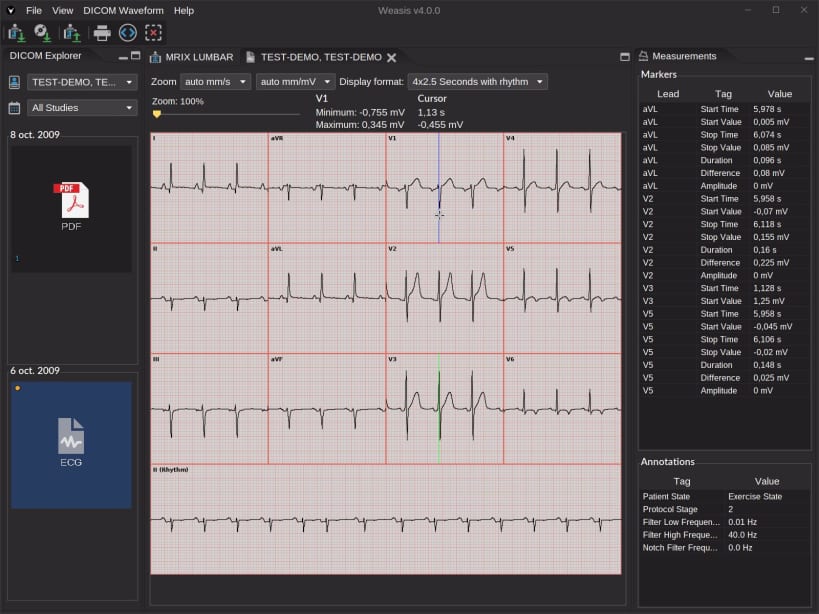
- Specific viewers — ECG (waveforms with measurements), SR (structured reports with hyperlinks), AU (audio player, WAV export), RT (structure-set, dose, DVH)
- Other tools — printing to DICOM and system printers; Key Object Selection via star button; full DICOM attribute display/search; Acquire/Dicomizer capture and conversion of non-DICOM media