

Mari0 (UNOFFICIAL) (mari0)
Install latest/stable of Mari0 (UNOFFICIAL)
Ubuntu 16.04 or later?
Make sure snap support is enabled in your Desktop store.
Details for Mari0 (UNOFFICIAL)
Package name
- mari0
License
- MIT
Last updated
- 4 March 2019 - latest/stable
- 20 August 2023 - latest/edge
Websites
Contact
External link warning
You are about to open
Do you wish to proceed?
Report a Snap Store violation
Report Mari0 (UNOFFICIAL) for a Snap Store violation
Snap Store Violation Report submitted successfully
Thank you for your report. Information you provided will help us investigate further.
Error submitting report
There was an error while sending your report. Please try again later.
Share this snap
Generate an embeddable card to be shared on external websites.
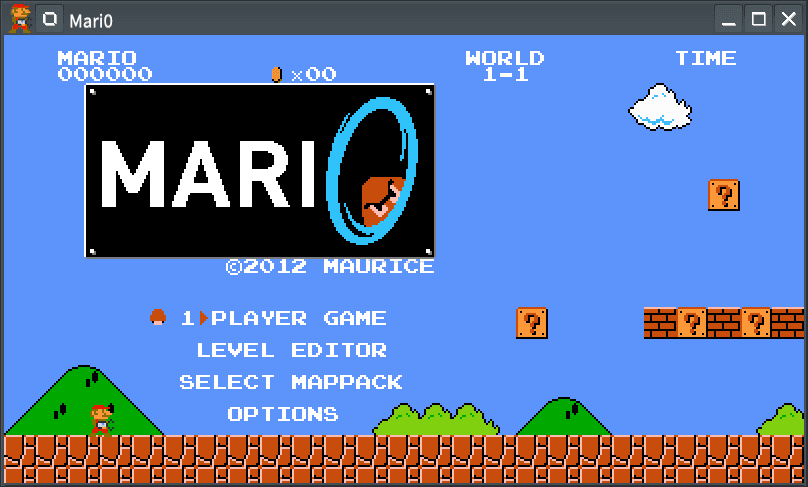
Mario + Portal platformer
Two genre defining games from completely different eras: Nintendo's Super Mario Bros. and Valve's Portal. These two games managed to give Platformers and First-Person Puzzle Games a solid place in the video game world. But what if Nintendo teamed up with Valve and recreated the famous Mario game with Portal gun mechanics?
A complete from scratch recreation of Super Mario Bros. with a focus on perfectly imitating the feel the 1985 classic gave us. Then give Mario a portal gun, add puzzle game mechanics from Portal and there you go. And if that wasn't crazy enough, play 4-player coop, with everyone having their own Portal gun!
## Features ##
- Complete recreation of SMB
- Elements from Portal
- Portal gun that shoots portals
- 4-player simultaneous coop
- Level Editor that was used to create the levels in the game
- 33 different hats
- Downloadable Mappacks
- Game modifiers for extra fun
NOTE: This is NOT an official Mari0 distribution, refer [the snap's issue tracker](https://github.com/Lin-Buo-Ren/mari0-snap/issues) for support.
| Revision | Channel | Version | Build | Commit | Download SBOM |
|---|
The build and commit information is derived from build infrastructure records.
Install Mari0 (UNOFFICIAL) on your Linux distribution
Choose your Linux distribution to get detailed installation instructions. If yours is not shown, get more details on the installing snapd documentation.












