
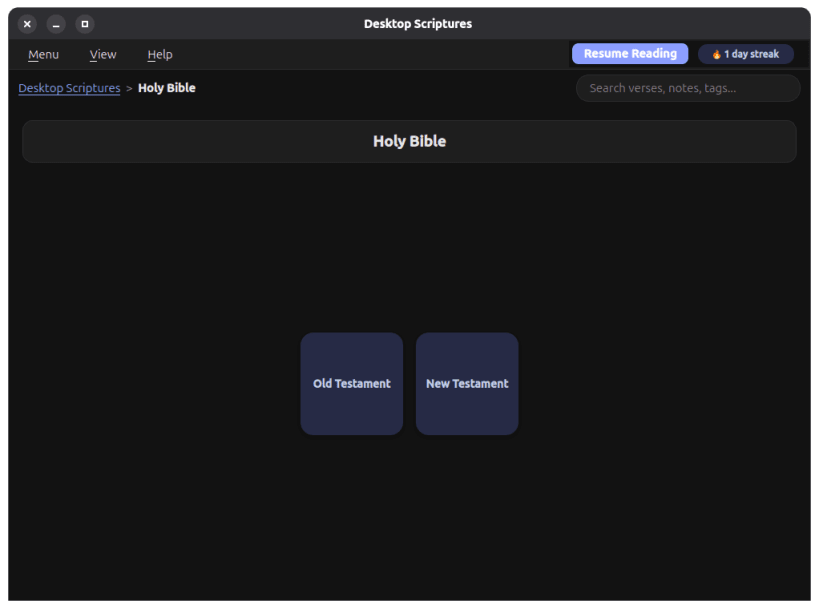
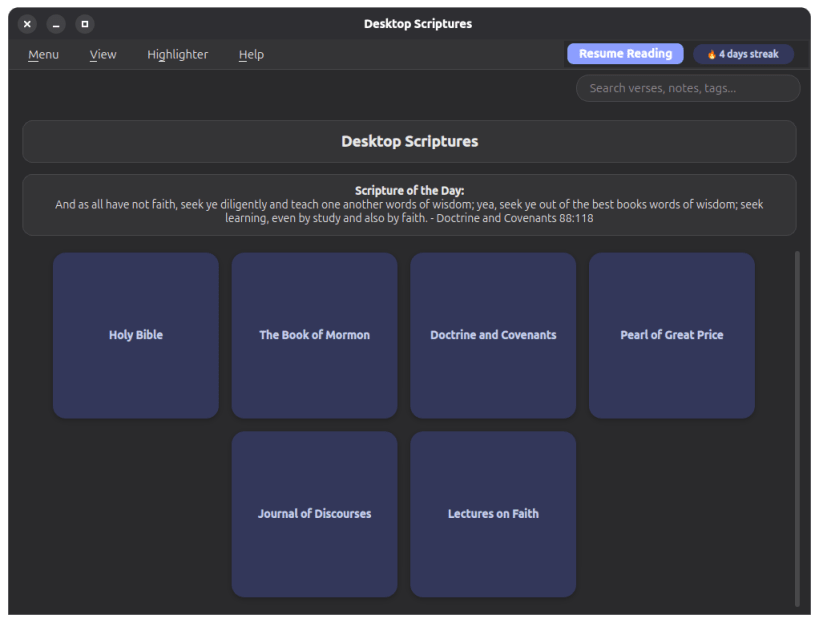

A desktop reader for the Bible, Book of Mormon, Doctrine and Covenants, Pearl of Great Price, Journal of Discourses, Lectures on Faith, and the Joseph Smith Translation - fully offline, with personal notes, tags, verse highlighting, keyword search, a Topical Guide, General Conference citations, a Scripture of the Day banner, a reading streak, a Resume Reading history of your last 5 chapters, a choice of accent colors, cloud-folder sync across your own devices (via whatever cloud client - Nextcloud, OneDrive, Google Drive, or similar - already keeps a folder synced on your machine), and opt-in AI-assisted search: ask a question in your own words - and refine it conversationally with follow-ups - to get pointed at real, matching scripture, using your own AI endpoint.
This is an unofficial application, not produced by or affiliated with The Church of Jesus Christ of Latter-day Saints, or with Community of Christ. Scripture text courtesy of the beandog/lds-scriptures project; Journal of Discourses and Joseph Smith Translation (published as the "Inspired Version") text courtesy of their public-domain scans on archive.org; General Conference citation data courtesy of BYU's Scripture Citation Index. The Topical Guide is Desktop Scriptures' own correlation of its local scripture text and that same citation index - not a copy of the Church's own, separately-copyrighted Topical Guide.
You are about to open
Do you wish to proceed?
Thank you for your report. Information you provided will help us investigate further.
There was an error while sending your report. Please try again later.
Snaps are applications packaged with all their dependencies to run on all popular Linux distributions from a single build. They update automatically and roll back gracefully.
Snaps are discoverable and installable from the Snap Store, an app store with an audience of millions.
On Arch Linux, snap can be installed from the Arch User Repository (AUR). The manual build process is the Arch-supported install method for AUR packages, and you’ll need the prerequisites installed before you can install any AUR package. You can then install snap with the following:
git clone https://aur.archlinux.org/snapd.git
cd snapd
makepkg -si
Once installed, the systemd unit that manages the main snap communication socket needs to be enabled:
sudo systemctl enable --now snapd.socket
If AppArmor is enabled in your system, enable the service which loads AppArmor profiles for snaps:
sudo systemctl enable --now snapd.apparmor.service
To enable classic snap support, enter the following to create a symbolic link between /var/lib/snapd/snap and /snap:
sudo ln -s /var/lib/snapd/snap /snap
Either log out and back in again, or restart your system, to ensure snap’s paths are updated correctly.
To install Desktop Scriptures, simply use the following command:
sudo snap install desktop-scriptures
Browse and find snaps from the convenience of your desktop using the snap store snap.

Interested to find out more about snaps? Want to publish your own application? Visit snapcraft.io now.


