

XNote Stopwatch (UNOFFICIAL) (xnote-stopwatch)
Install latest/stable of XNote Stopwatch (UNOFFICIAL)
Ubuntu 16.04 or later?
Make sure snap support is enabled in your Desktop store.
Install using the command line
sudo snap install xnote-stopwatchDon't have snapd? Get set up for snaps.
Details for XNote Stopwatch (UNOFFICIAL)
Package name
- xnote-stopwatch
License
- Proprietary
Last updated
- 20 August 2024 - latest/stable
- 20 August 2024 - latest/beta
Websites
Contact
External link warning
You are about to open
Do you wish to proceed?
Report a Snap Store violation
Report XNote Stopwatch (UNOFFICIAL) for a Snap Store violation
Snap Store Violation Report submitted successfully
Thank you for your report. Information you provided will help us investigate further.
Error submitting report
There was an error while sending your report. Please try again later.
Share this snap
Generate an embeddable card to be shared on external websites.
A multifunctional digital stopwatch/countdown timer/clock software
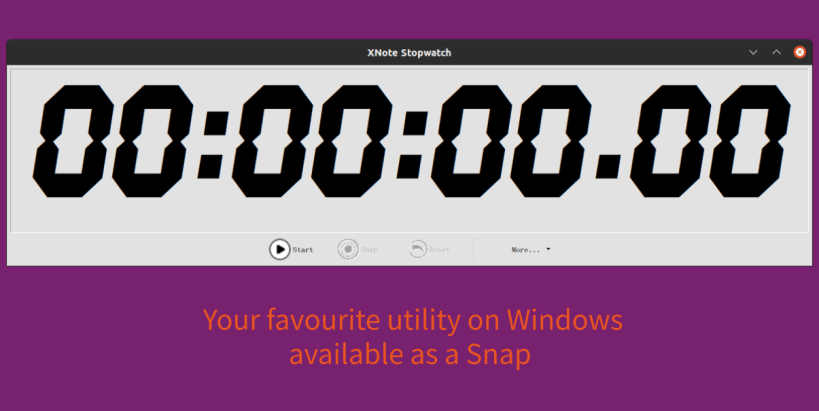
XNote Stopwatch is a versatile and flexible multifunctional digital stopwatch / countdown timer / clock software for PC. Helpful for timekeepers at sport competitions, time tracking of work, or even as a metronome.
The key features are:
- Digital display like handheld stopwatches and clocks. But unlike those XNote Stopwatch can be resized to achieve any dimensions of digits: from fullscreen on a LCD TV (jumbotron) for public presentations like a 'stopclock', to tiny icon on your desktop as a reminder. Along with size, you can adjust colors, font, transparency, etc…
- Stopwatch mode and countdown timer mode: When the timer gets to zero, it can sound a warning signal, play an audio file, run an application, and even command external devices!
- Customization of displayed time: You can eliminate hours, minutes, and/or decimals, pad leading values with zeroes, customize decimals to represent 10, 100 or 1000 of second, 24, 25, 60 TV frames and so on. These changes are lossless and can be carried out at any moment.
- Ability to capture the time at any moment (split time feature). The interval from a previous recorded time is calculated (lap time feature). You may add a comment to each noted time. Finally, the whole list of results can be copied through the clipboard for further processing.
- Ability to set a custom time. This means that you can rewind the stopwatch backward or forward. All displaced results will be deleted.
- Multiple stopwatches and timers with their own settings and run independently of each other.
- External control through serial COM (RS-232) port: You can start, stop, reset the stopwatch, and snap the time with a simple on/off switch, photocell, and even an RFID-tag reader for accurate timekeeping!
- Changing colors and playing warning signals when Timer is almost done.
Despite the variety of features, XNote Stopwatch has a small memory size, low system resource requirements, and fast execution speed!
Snap-specific notes
- Due to the difference between the WINE compatibility layer and the native Windows runtime, some aforementioned feature may not be available
- Due to the confined nature of snaps, some features may not be available or be limited
- This is NOT an official distribution of XNote Stopwatch, please report any problems to the snap's own issue tracker, thank you
- Upstream: http://www.xnotestopwatch.com/
- Packaging source: https://github.com/Lin-Buo-Ren/xnote-stopwatch-snap
| Revision | Channel | Version | Build | Commit | Download SBOM |
|---|
The build and commit information is derived from build infrastructure records.
Install XNote Stopwatch (UNOFFICIAL) on your Linux distribution
Choose your Linux distribution to get detailed installation instructions. If yours is not shown, get more details on the installing snapd documentation.











