



🧩 About Panda Video Converter
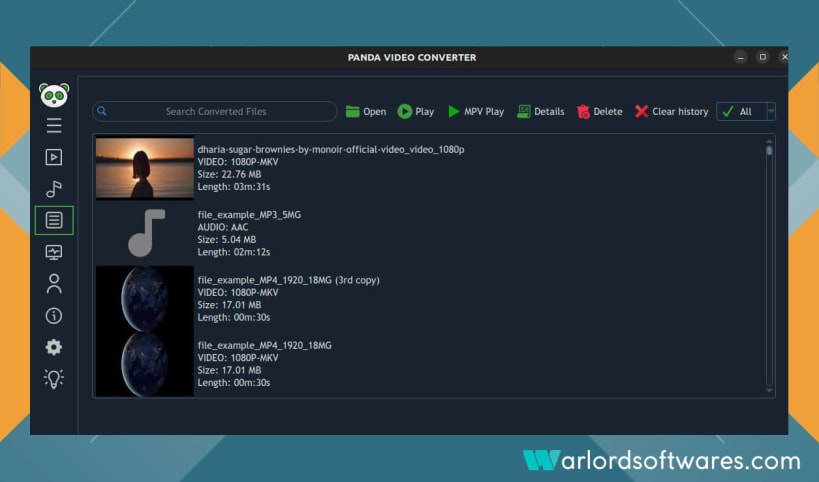
Panda Video Converter is a powerful 4K video and audio converter for Linux built to deliver high-speed, high-quality media conversions. Whether you need to convert, compress, or extract audio and video files, It provides everything you need — all in a simple, modern interface.
⚡ Key Features
💎 Why Choose Panda Video Converter?
🎬 Supported Video Formats
mp4, mkv, mov, avi, webm, wmv, flv, mpeg, mpg, m2ts, 3gp, vob, ts, ogv, f4v, mxf, asf, hevc, m2v, mts, wtv and many more.
🎵 Supported Audio Formats
aac, mp3, wav, flac, m4a, ogg, wma, opus, aiff, dts, ac3, mp2, voc, ra, tta, wv, caf, m4r etc.
🔥 Experience Professional-Grade Conversions — the Easy Way
Panda Video Converter combines the power of FFmpeg with an easy-to-use graphical interface, letting you convert, trim, and optimize videos in just a few clicks.
🛠️ Setup & Permissions
📌 Enable GPU Hardware Acceleration
To unlock GPU-powered video encoding, run the following commands:
sudo snap connect panda-video-converter:opengl
sudo snap connect panda-video-converter:hardware-observe
sudo snap connect panda-video-converter:system-observe
📌 Enable Access to External Media
Allow Panda Video Converter to access external drives, USBs, or DVDs:
sudo snap connect panda-video-converter:removable-media
sudo snap connect panda-video-converter:optical-drive
📌 Fix Missing CPU Temperature in System Monitor
If CPU temperature isn’t displayed correctly:
sudo snap connect panda-video-converter:hardware-observe
This gives Panda Video Converter permission to read system sensor data.
📌 App Not Launching?
If Panda Video Converter fails to start after installation:
sudo snap remove panda-video-converter
sudo snap remove content-snap-core22 --purge
sudo snap install content-snap-core22
sudo snap install panda-video-converter
panda-video-converter
💡 Some advanced features may require an in-app purchase.
🧭 Keywords
Linux video converter, FFmpeg GUI, 4K video converter, 8K converter, audio extractor, media transcoder, lossless converter, GPU video converter, HandBrake alternative, Ubuntu video converter, Linux MP4 to MP3 converter, MKV to MP4, VOB to MP4, Linux FFmpeg frontend, video compression Linux, Linux media converter app.
(Compatible alternatives and comparisons: FFMpeg, HandBrake, Uniconverter, VideoProc Converter, Movavi, Freemake, WonderFox, AVC, Prism, Any Video Converter, CloudConvert, Aiseesoft Video Converter Ultimate, Tipard, Gihosoft, Zamzar, MediaCoder, and more.)
You are about to open
Do you wish to proceed?
Thank you for your report. Information you provided will help us investigate further.
There was an error while sending your report. Please try again later.
Snaps are applications packaged with all their dependencies to run on all popular Linux distributions from a single build. They update automatically and roll back gracefully.
Snaps are discoverable and installable from the Snap Store, an app store with an audience of millions.
If you’re running Kubuntu 16.04 LTS (Xenial Xerus) or later, including Kubuntu 18.04 LTS (Bionic Beaver) and Kubuntu 18.10 (Cosmic Cuttlefish), you don’t need to do anything. Snap is already installed and ready to go.
Versions of Kubuntu between 14.04 LTS (Trusty Tahr) and 15.10 (Wily Werewolf) don’t include snap by default, but snap can be installed from the command line as follows:
sudo apt update
sudo apt install snapd
To install FFmpeg GUI | Panda converter, simply use the following command:
sudo snap install panda-video-converter
Browse and find snaps from the convenience of your desktop using the snap store snap.

Interested to find out more about snaps? Want to publish your own application? Visit snapcraft.io now.