

Add Flatpak

Install latest/stable of Add Flatpak
Ubuntu 16.04 or later?
Make sure snap support is enabled in your Desktop store.
Install using the command line
sudo snap install add-flatpakDon't have snapd? Get set up for snaps.


Details for Add Flatpak
Package name
- add-flatpak
License
- MIT
Last updated
- 20 June 2026 - latest/stable
- 20 June 2026 - latest/edge
Websites
Source code
Report a bug
External link warning
You are about to open
Do you wish to proceed?
Report a Snap Store violation
Report Add Flatpak for a Snap Store violation
Snap Store Violation Report submitted successfully
Thank you for your report. Information you provided will help us investigate further.
Error submitting report
There was an error while sending your report. Please try again later.
Share this snap
Generate an embeddable card to be shared on external websites.
Add Flatpak support to Ubuntu
Add Flatpak
Add Flatpak is a small setup helper for Ubuntu desktop systems.
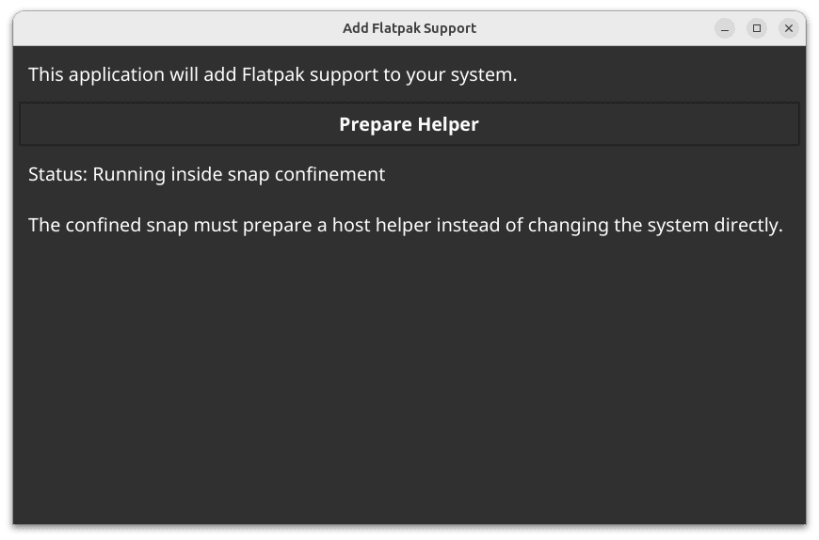
The confined snap prepares a user-launched helper. The helper then runs at the user request, outside snap confinement so it can clearly explain and perform the host package-management steps needed to install Flatpak and enable Flathub.
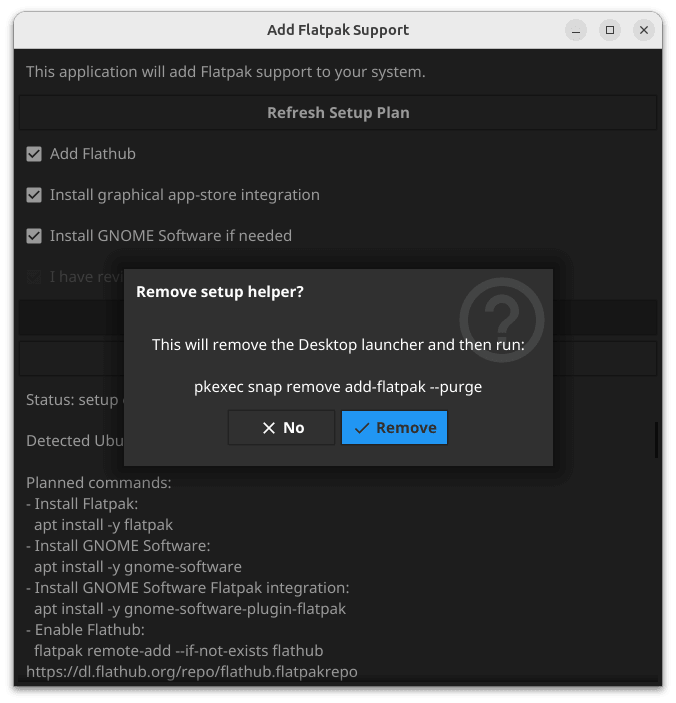
Its job is simple: help a user install Flatpak support, optionally add Flathub, optionally install graphical software-store integration, validate the result, and then remove itself when it is no longer needed.
Who This Is For
This app is intended for Ubuntu desktop users who do not want to copy and paste terminal commands from a website.
It is especially aimed at fresh Ubuntu installs where Flatpak is not already installed.
What It Does
On a supported Ubuntu system, Add Flatpak can:
- install
flatpak - add the Flathub remote;
- install GNOME Software if needed;
- install
gnome-software-plugin-flatpakon GNOME or Ubuntu Desktop; - install
plasma-discover-backend-flatpakon KDE Plasma; - check that the setup worked;
- offer to remove the setup helper when finished.
What It Will Not Do
Add Flatpak is deliberately cautious.
- It will not run host package-management commands while still inside snap confinement.
- It will not try to use
apton Fedora, Red Hat, immutable systems, or other non-Ubuntu systems. - It will not build privileged shell commands from user input.
- It will not remove
gnome-softwareduring normal cleanup, because that may have existed before Add Flatpak was used.
Supported Systems
This beta build currently allows setup on:
- Ubuntu 22.04 LTS
- Ubuntu 24.04 LTS
- Ubuntu 26.04 LTS
Other Ubuntu releases and non-Ubuntu distributions are blocked for now.
Why There Are Two Steps
Add Flatpak is packaged as a strictly confined snap.
That is good for safety, but it means the first app launch cannot directly change the host system with apt install or system Flatpak remote commands.
The app therefore uses two steps:
Add Flatpak Initial Setup This is the snap app. It prepares a Desktop launcher.
Enable Flatpak This is the Desktop launcher created by the first step. It runs the same app from the snap mount without the snap runtime environment, so it can clearly ask for permission and perform host setup.
This is why the user sees an initial setup window, then a Desktop icon named Enable Flatpak.
| Revision | Channel | Version | Build | Commit |
|---|
The build and commit information is derived from build infrastructure records.
Install Add Flatpak on your Linux distribution
Choose your Linux distribution to get detailed installation instructions. If yours is not shown, get more details on the installing snapd documentation.












